
Summary
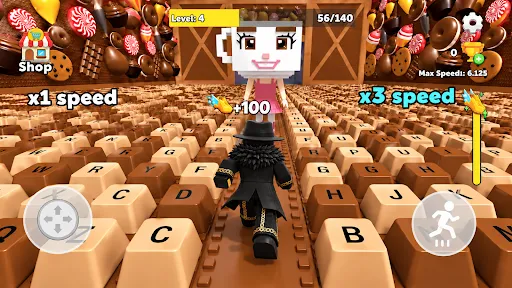
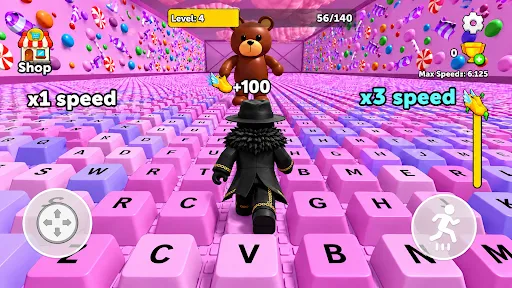
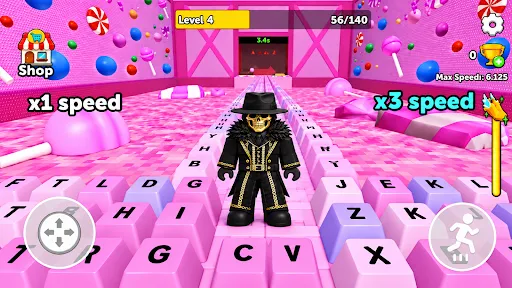
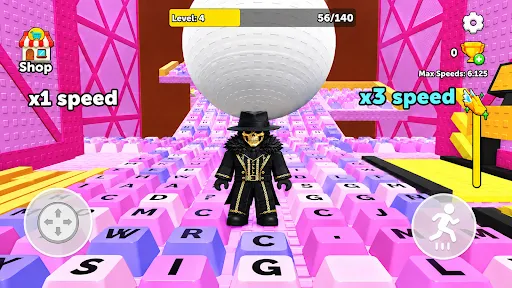
Keyboard Escape: +1 Speed ASMR is a free parkour (obby) game where you run and jump across giant keyboards, gaining speed as you go. Its Roblox-inspired setup and clicky keyboard ASMR are the main draw, but player reviews frequently point to performance and control problems.
Gameplay
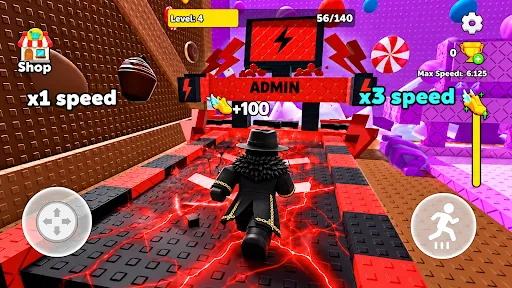
According to the developer, the goal is to clear keyboard-themed courses by jumping over obstacles and dodging traps until you reach the finish. Every movement triggers mechanical keyboard sounds, and the game leans heavily on that ASMR angle.
Player reviews suggest the main courses are joined by extras such as a prize wheel and minigames like red light, green light and a color block mode. However, many players say jumps don’t register reliably and that the controls feel imprecise, which leads to frustrating deaths.
Progression & Meta
Progression is built around the “+1 speed” hook: moving earns speed, and higher speed makes tougher courses manageable. Reviews mention quests, a prize wheel with cosmetic tiles, and avatar customization.
There’s little data on long-term content. The early version number and reviews asking for updates suggest the game is still a work in progress, and one player raised concerns about how the prize wheel rewards are determined.
Monetization & Ads
The game is free and, per its store listing, has no in-app purchases, so it relies entirely on ads. Like many games in this space, it shows a bottom banner plus full-screen ads between activities.
Reviews are split: some players say ads are lighter than in similar Roblox-style games, while others report frequent pop-ups, ads appearing mid-screen during play, and accidental taps that open web pages. One parent also reported an inappropriate ad, so families may want to keep an eye on ad content. The store data doesn’t mention an option to remove ads.
Who Is It For?
It’s aimed at fans of Roblox keyboard-escape and obby games who want a quick version of that experience outside Roblox. Players with higher-end phones are more likely to get smooth performance.
It’s a weaker fit for anyone on older or budget devices, players who expect precise platforming controls, and parents who want tightly controlled ad content.
💬 What players say
👍 Most praised
- Players find it fun and say it's easy to get hooked on
👎 Most common complaints
- Many say there are too many ads, some popping up during play
- Players report frequent freezing and hanging
- Several see it as a low-effort copy of a Roblox game
Summarized from the 40 most helpful user reviews on Google Play; not verbatim quotes.
Pros / Cons
Pros
- Keyboard-themed courses with distinctive clicky ASMR sound design
- Extra modes like a prize wheel and minigames beyond the main course
- No in-app purchases; completely free to play
- Brings the Roblox keyboard-escape concept to a standalone mobile app
Cons
- Frequent reports of lag, freezing and devices heating up
- Players often say jumps and controls don't respond reliably
- Banner ads that lead to accidental taps and opened web pages
- Early-stage build with limited polish and content
Score
The fun theme and free model are undercut by widespread reports of performance problems, unreliable controls and intrusive ad behavior.
Our editor works in the mobile game industry, so reviews may be biased. How we review and score games →
Frequently asked questions
Is Keyboard Escape free?
Yes. Keyboard Escape is free to download on Android (Google Play).
Does Keyboard Escape have ads?
Yes, Keyboard Escape shows ads. For its genre, we rate its balance of ads and purchases 6.5/10.
Is Keyboard Escape worth playing?
We give Keyboard Escape 4.9/10. The fun theme and free model are undercut by widespread reports of performance problems, unreliable controls and intrusive ad behavior.
Which platforms is Keyboard Escape available on?
Keyboard Escape is available on Android (Google Play).


